CarbonGuide
Record a monday.com workflow once and turn it into a guide your team follows on the real board.
Stage 1: In internal use
The problem it solves
Teams documenting a monday.com workflow paid for a separate guide tool, got steps in generic terms, and ended up with a guide to read next to the board instead of on it.
| Before | After |
|---|---|
| Guides made in a separate paid subscription | Guides saved as monday Docs on a Guides board |
| Steps written in generic terms like item | Steps written in the board’s own words |
| A written guide to read beside the board | Play and Live Coach walk you through the board |
What it does
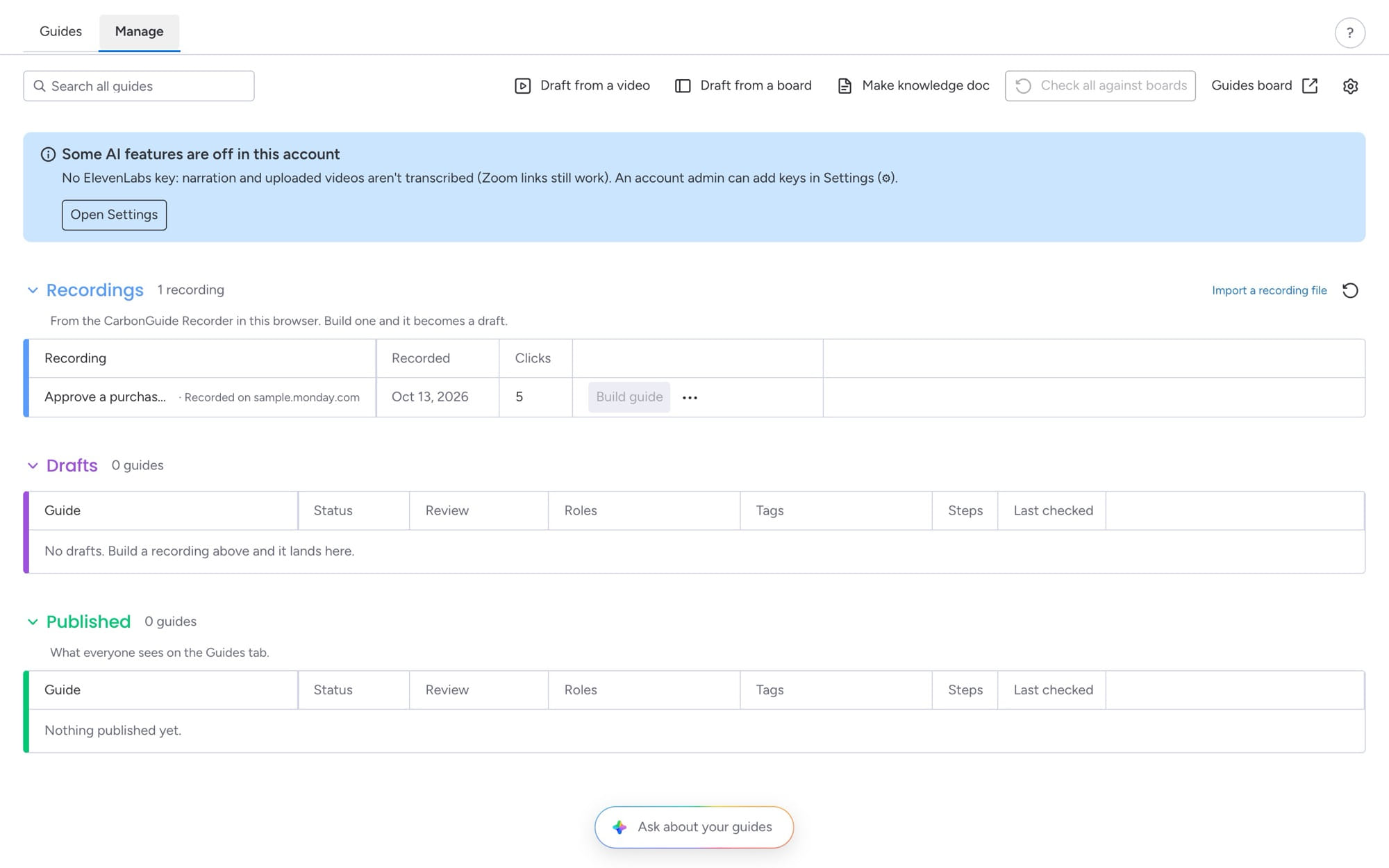
Record a workflow
Record a workflow once with the CarbonGuide Chrome recorder. Or draft one from a board, a video file or a Zoom Clips link.
- Four ways to start: the recorder, a board, a video file or a Zoom Clips link.
- Optional voice narration is transcribed into the guide.
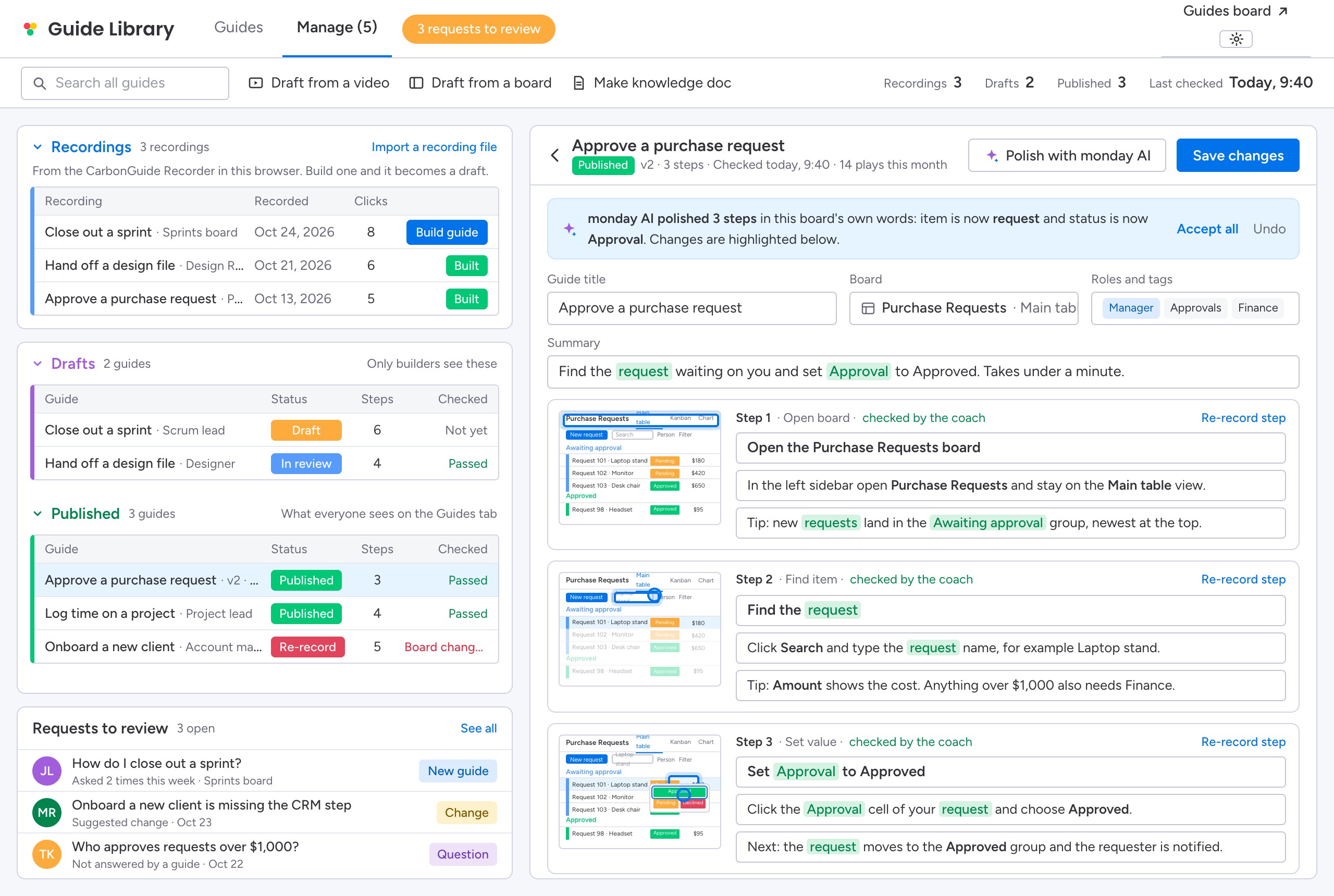
Guides as Docs
Each guide is written in monday.com’s words and saved as a monday Doc on a Guides board. monday AI polishes the steps using the terms the board itself uses.
- Board terminology, so a step says deal or project where the board does.
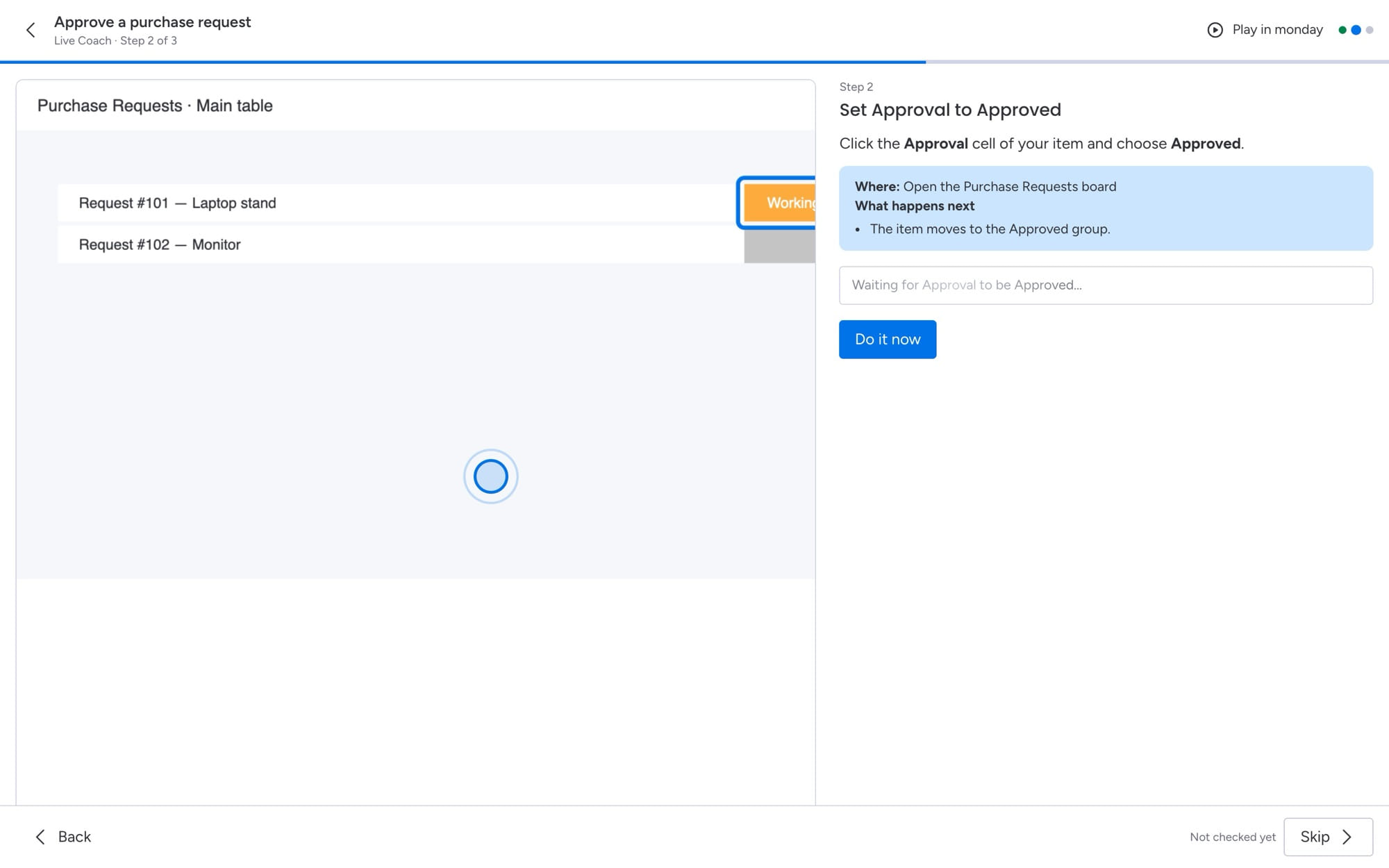
Play and Live Coach
Follow a guide on the real board, one step at a time. Play points at the actual screen, and Live Coach checks each step on the board.
- Play is an overlay that points at the real monday.com screen.
- Live Coach checks each step on the board as you go.
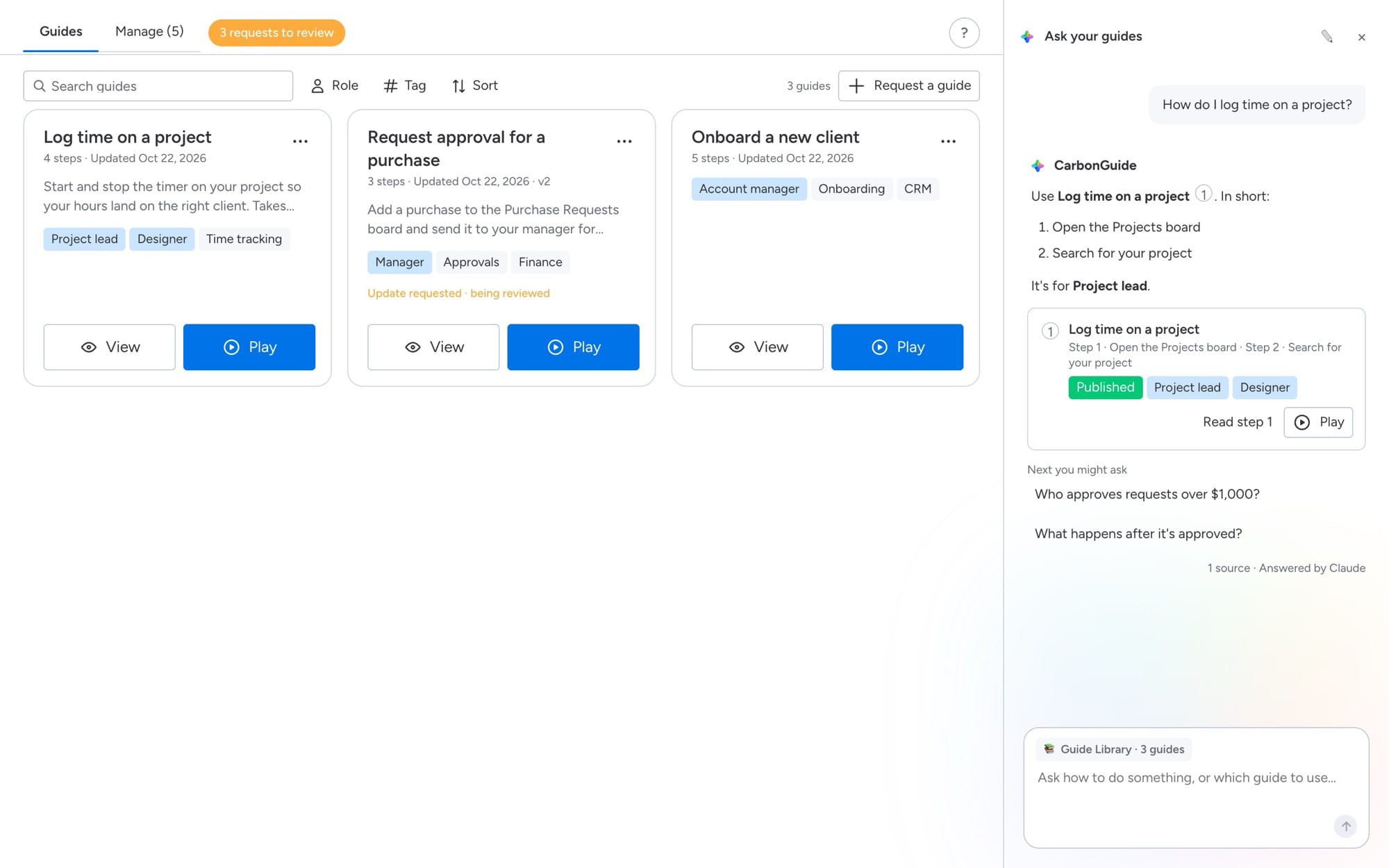
Ask the guides
Readers ask a question and get an answer drawn from the published guides. They can also suggest a change to a guide or request a new one.
- Answers come from monday AI first, using the account’s own credits.
- Builders get Manage: requests, recordings, drafts, editing and re-recording.
Details
- What it is
- monday.com app with a Chrome recorder
- Where it works
- Inside monday.com, installed per account
- Who uses it
- CarbonWeb builders and the teams they write guides for; so far in testing with its owner
- Owner
- Mitchell McLaughlin