CW Scopes App
Turn a discovery call into a structured scope of work, without leaving the monday.com item.
Stage 1: In internal use
The problem it solves
Solutions engineers wrote every scope by hand in freeform docs, stitching components, milestones and tags together one at a time.
| Before | After |
|---|---|
| Scopes drafted from a blank doc | A first draft from the brief and discovery notes |
| Components and milestones stitched by hand | One click publishes the Scope Outline doc |
| Earlier versions of a scope hard to find | A snapshot on every generate, refine and publish |
What it does
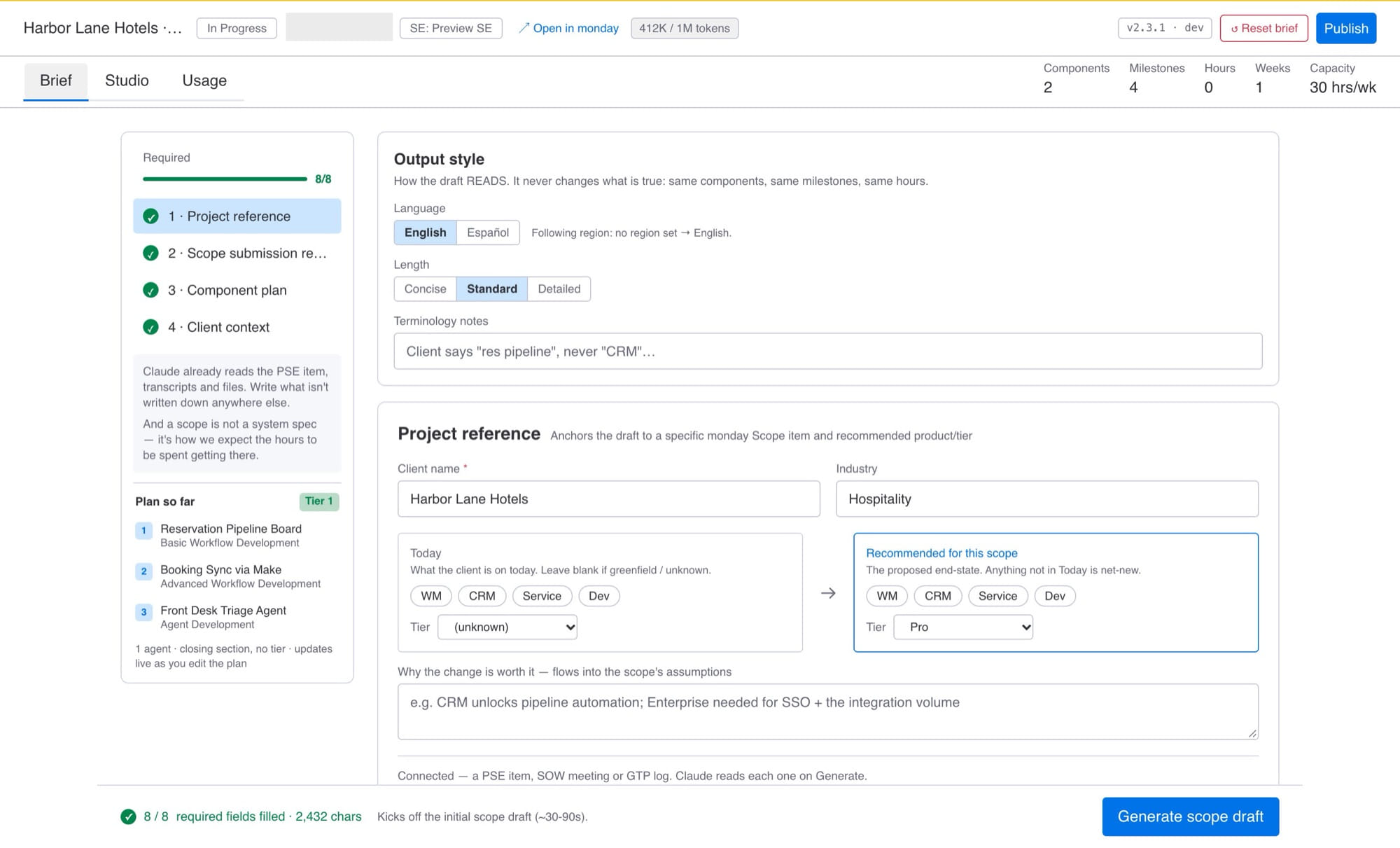
The brief
A structured intake that opens on the Scope item. It already knows the client, the connected discovery meetings and the files on the item.
- Declare the components, one work type each, and answer each one’s questions.
- 1 to 2 components is Tier 1, 3 or more is Tier 2, shown live.
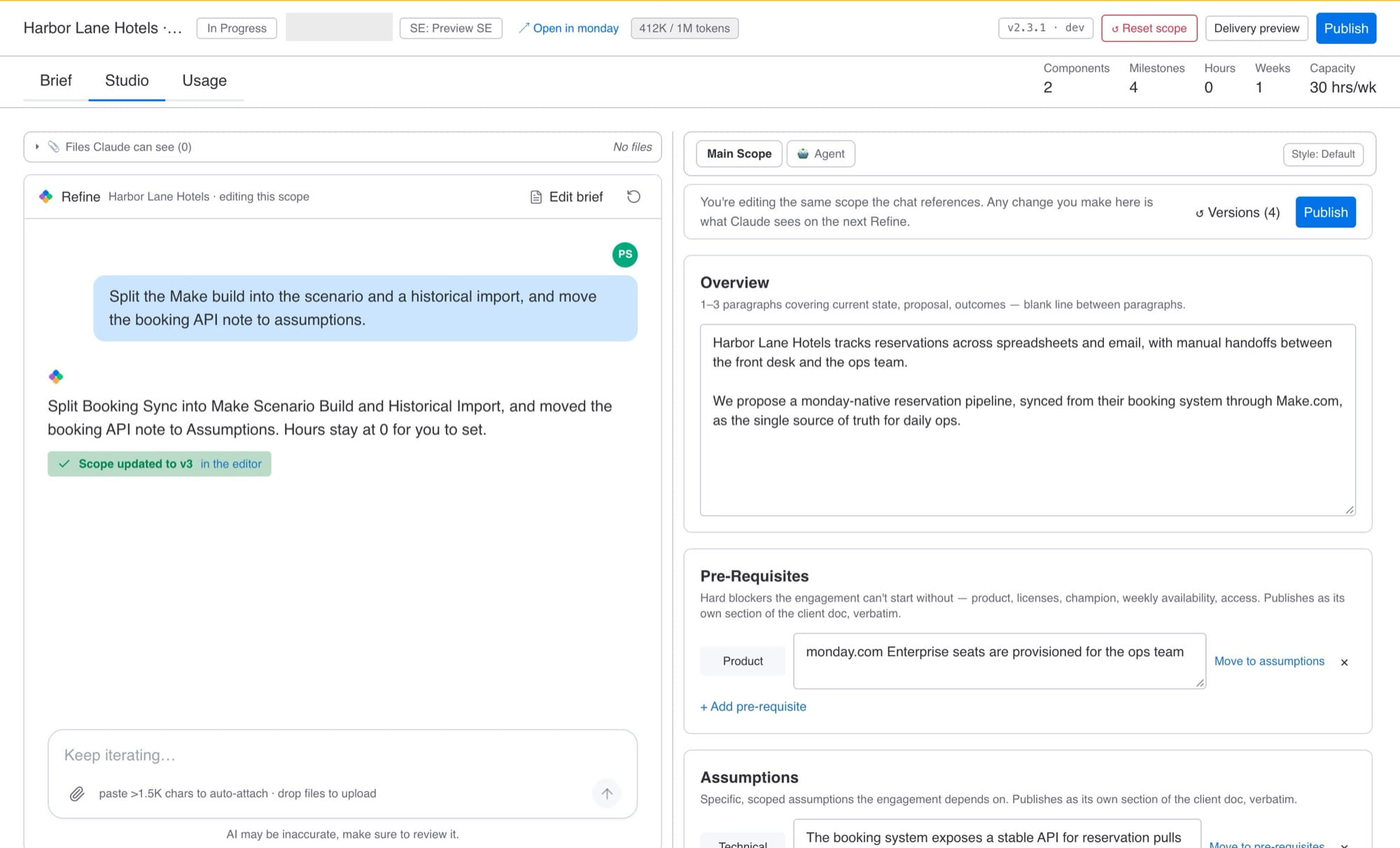
Refine in Studio
Chat on the left, the editor on the right. Ask for changes in plain language, then set hours, AI credits and Make.com ops by hand.
- Hours stay with the engineer. The draft leaves every milestone at 0.
- Misfiled rows move in one click between pre-requisites and assumptions.
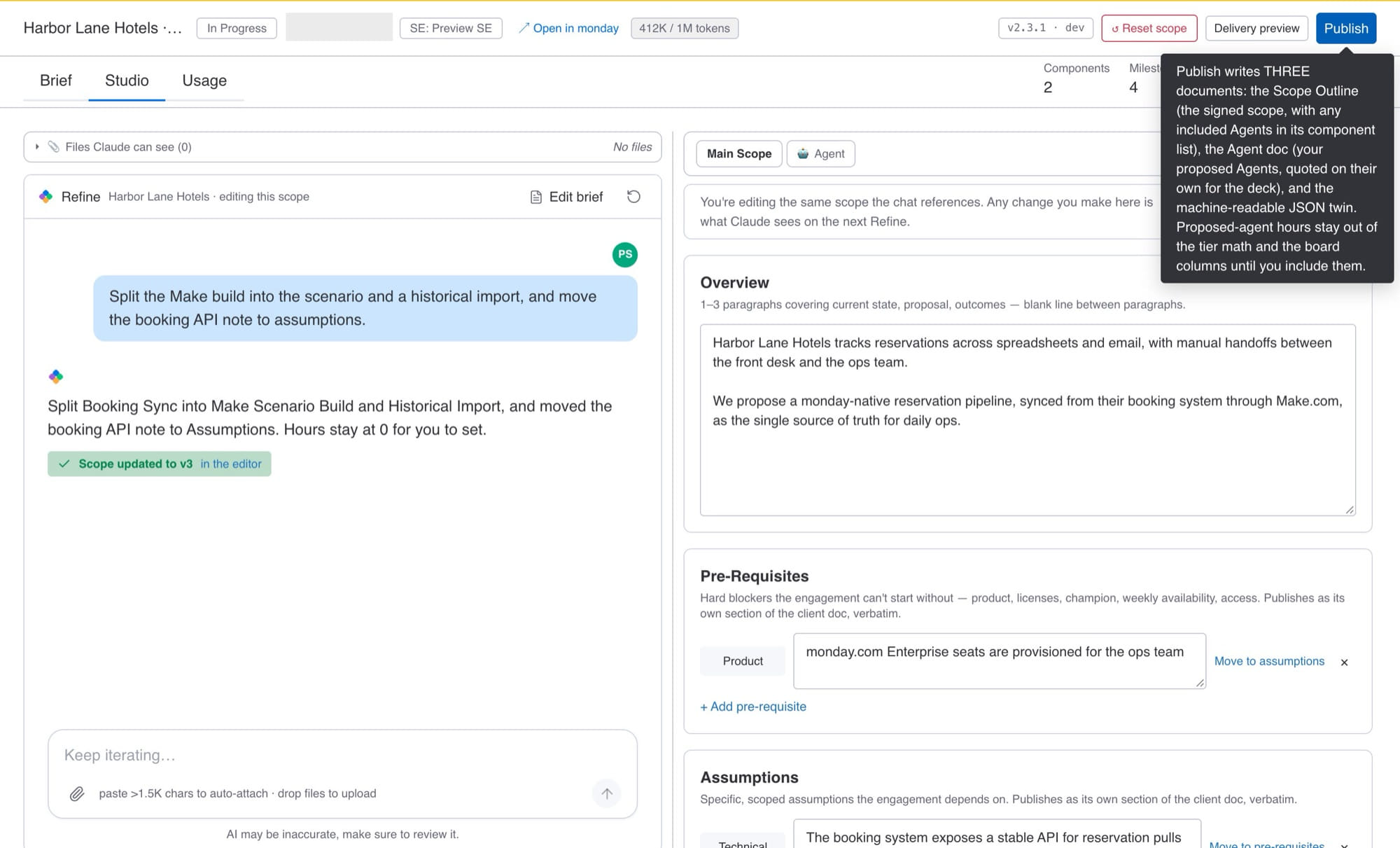
One-click publish
Publish writes the Scope Outline doc on the item. An Agent component goes to its own Agent doc in the same click.
- Re-publish updates the same docs, so links already shared keep working.
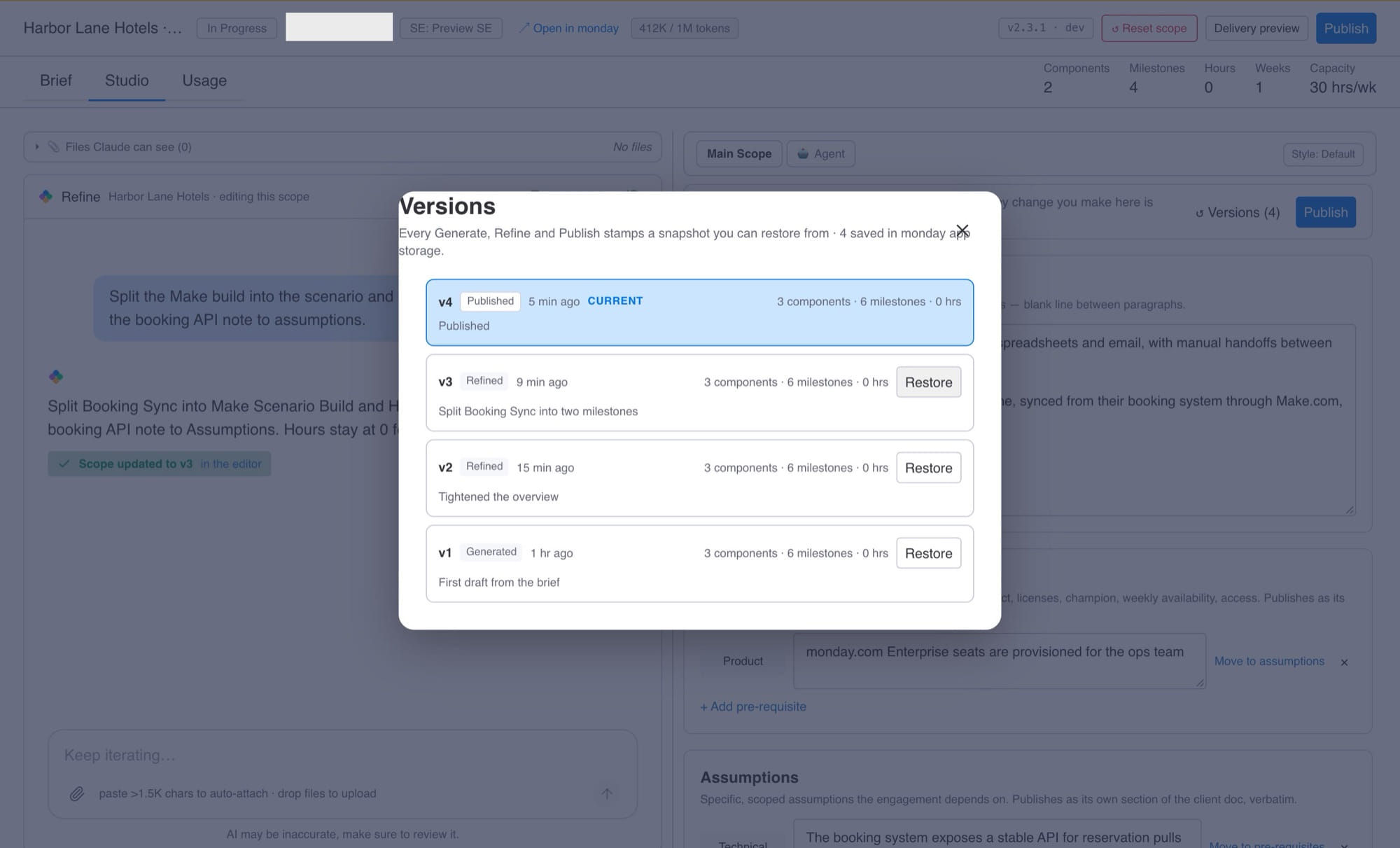
Versions and rollback
Every generate, refine and publish is saved. Roll back to any snapshot, and resets take two clicks to confirm.
- A per-scope AI budget shows in the header. Editing and publishing still work once it is spent.
Details
- What it is
- monday.com app, an item view
- Where it works
- Inside Scope items in CarbonWeb’s monday.com account
- Who uses it
- CarbonWeb solutions engineers, about 5
- Owner
- Max Brinton
- Collaborator
- Jack Kubicek