Marketing Tools
Track new leads, build contact segments and plan content without leaving monday.com.
Stage 1: In internal use
The problem it solves
Marketing had no single view of where leads came from or how they moved, and building a send list meant working through dozens of contact boards by hand.
| Before | After |
|---|---|
| Lead counts pulled from four boards, one at a time | One funnel from cold prospect to deal, by date |
| Send lists built by hand from 38 contact boards | Filter every contact board once, save the segment |
| Posts planned per channel, with no shared view | One content calendar across every channel |
What it does
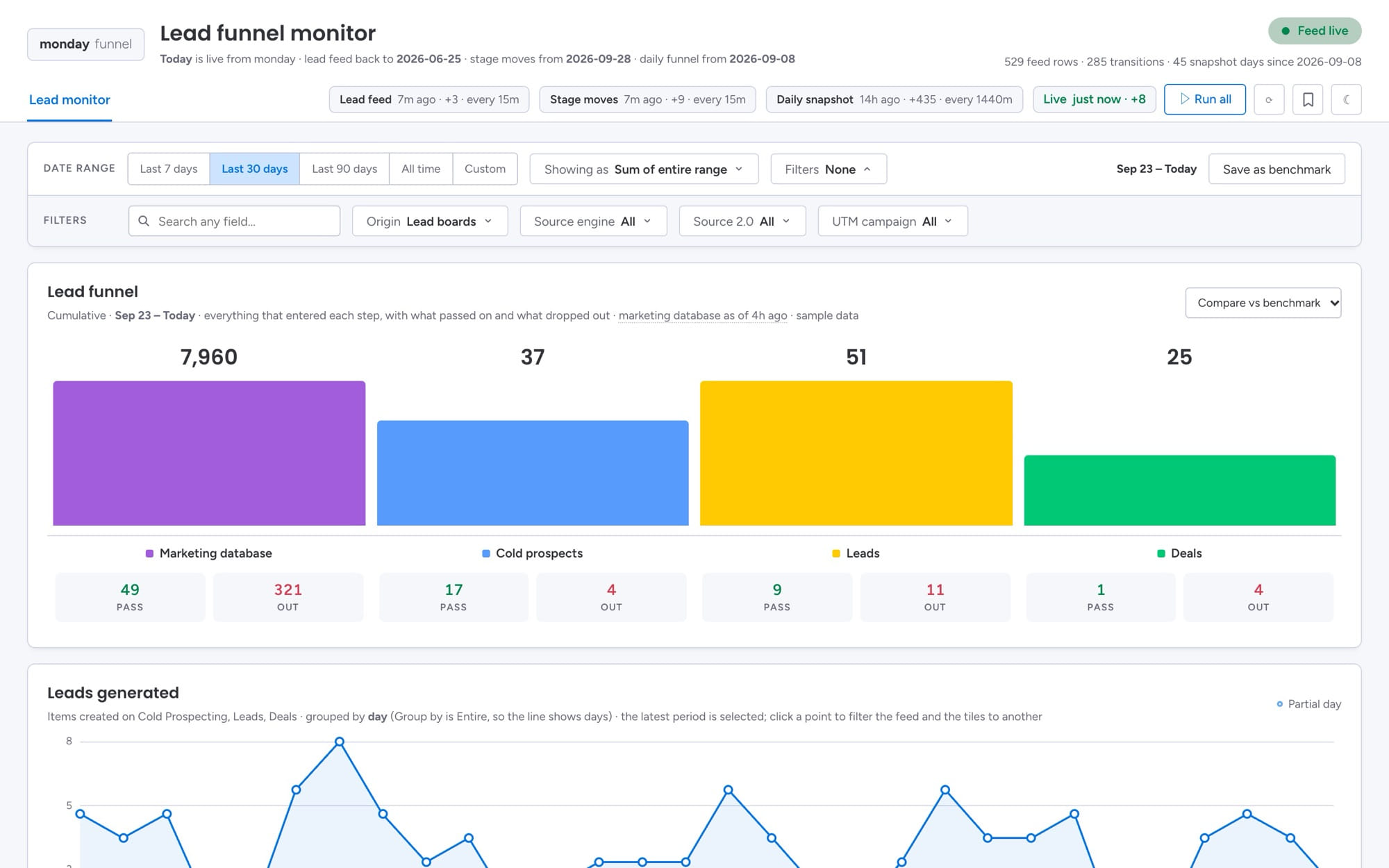
Lead Monitor
See every new lead and where it sits in the funnel, from cold prospect to deal. Each record shows the board it started on and its source, so you can tell which leads marketing really drove.
- Filter by date, from today back to the last 30 days.
- A pass and an exit rule per stage, so the chart also shows conversion between stages.
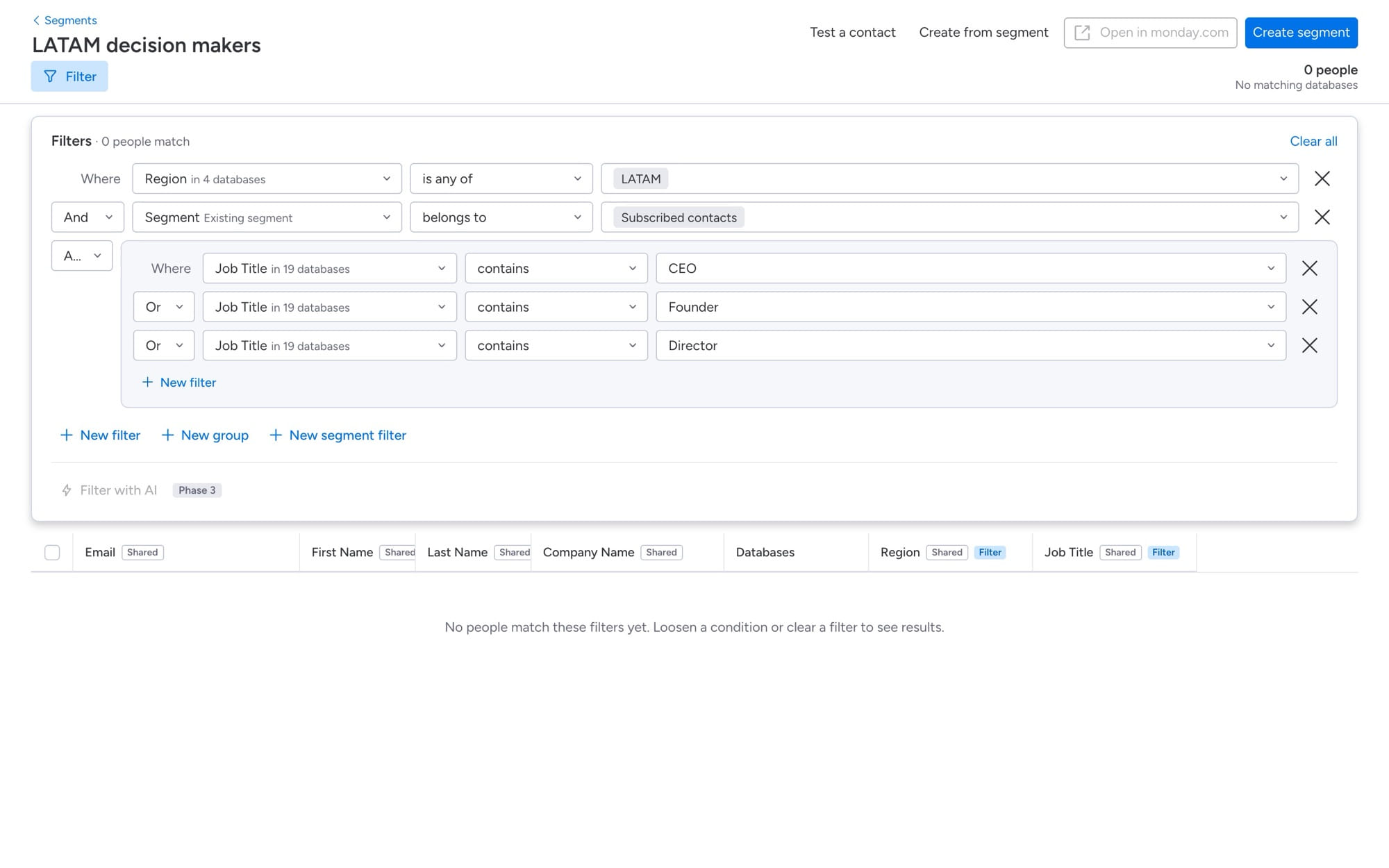
Segment Builder
Filter people across every contact board and save the result as a segment. Preview the first 50 people, merged on email, with an estimated count and a breakdown per database before you create it.
- monday.com style filters, with groups and "belongs to segment" as a filter.
- Each segment becomes a monday.com board that updates to show who was added or removed.
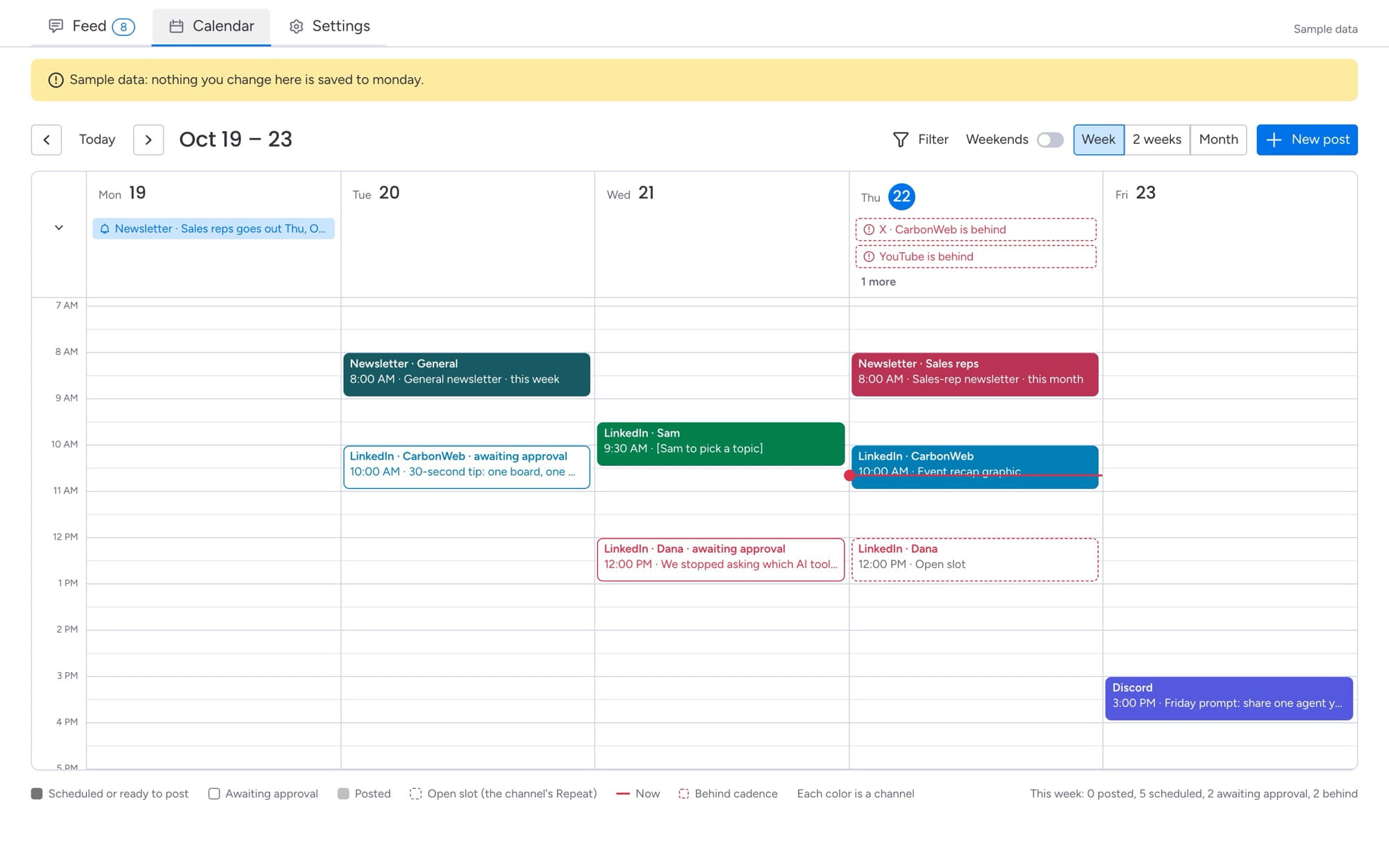
Comms Hub
Plan content for every channel on one calendar. Gaps in a channel's posting rhythm show up as cards, with a suggested draft in that account's voice.
- An approvals queue where every draft stays editable.
- Suggest only: nothing is posted automatically.
Details
- What it is
- monday.com app with three workspace tools
- Where it works
- Inside monday.com, in CarbonWeb's marketing and sales workspaces
- Who uses it
- CarbonWeb's marketing and sales teams
- Owner
- Lars Kristensen