Sales Tools
Qualify, price, propose and present without leaving the deal.
Stage 1: In internal use
The problem it solves
Every proposal was assembled by hand, so what a client signed could drift from the deal it came from.
| Before | After |
|---|---|
| Products and prices retyped by hand | Built from the deal’s saved lines |
| Team prices worked out per deal | Each team’s price from its own column |
| A sent proposal could not be updated | Send Updates edits the same document |
What it does
Discovery
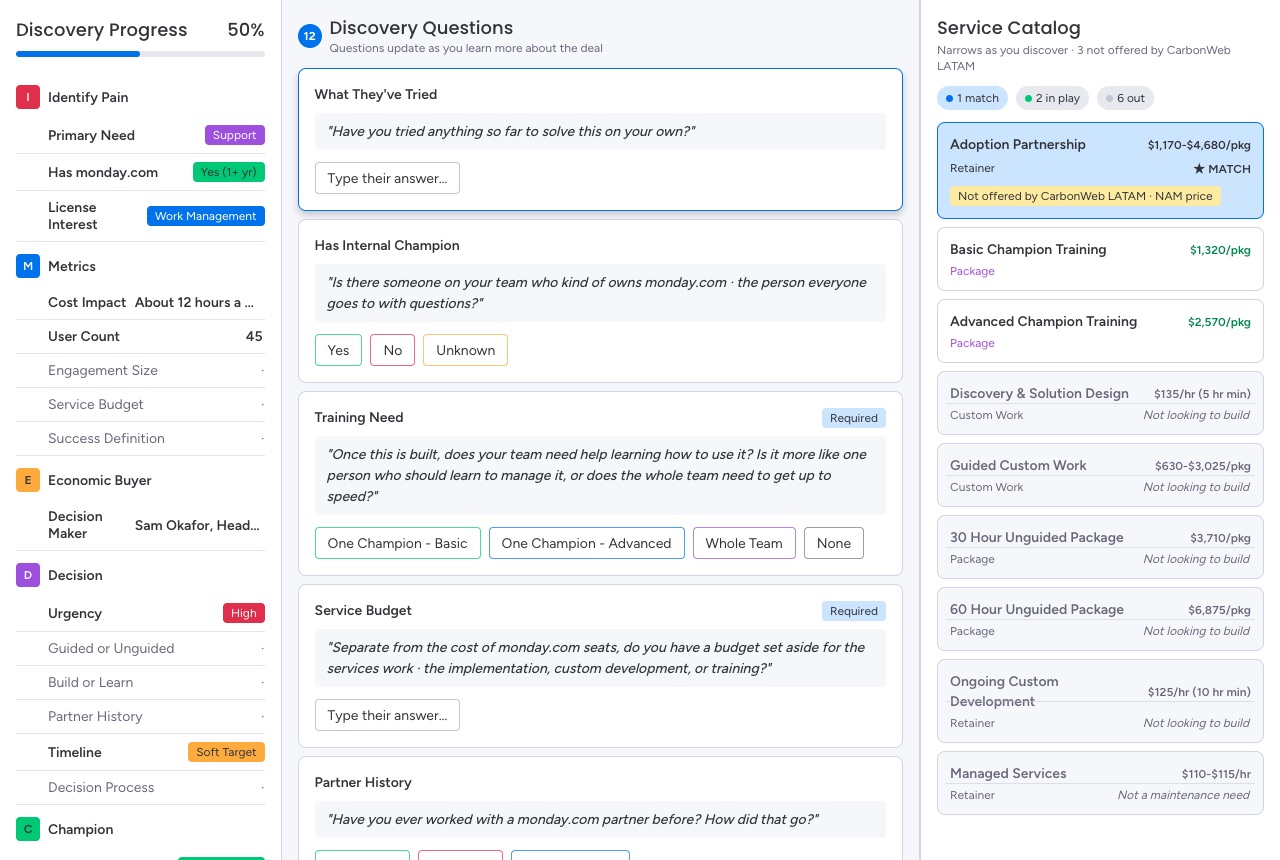
Qualify with the team’s own catalog. Questions are MEDDPIC style, and the services they recommend come at the deal team’s own prices.
- Services a team doesn't offer are hidden; a recommended one falls back to NAM and says so.
- LATAM and Green Llamas prices from their own columns.
Product Selector
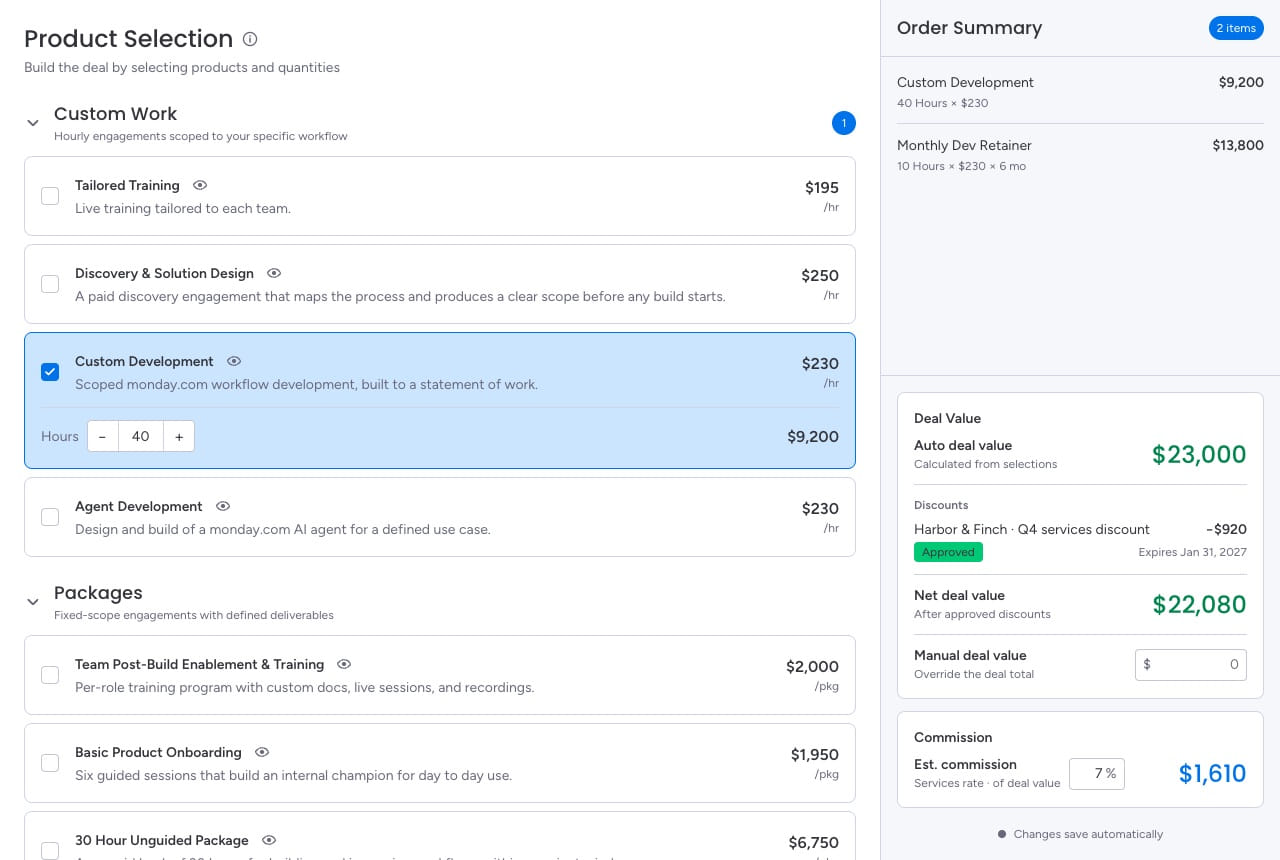
Price from the live catalog, saved to the deal. Lines and the deal value save back to the deal, and required products are caught before anything goes out.
- Writes Auto Deal Value (Team); Manual Deal Value only when a rep types it.
- A Delivery Manager on larger scopes and training on every scoped deal, unless a manager approves going without.
Proposal Builder
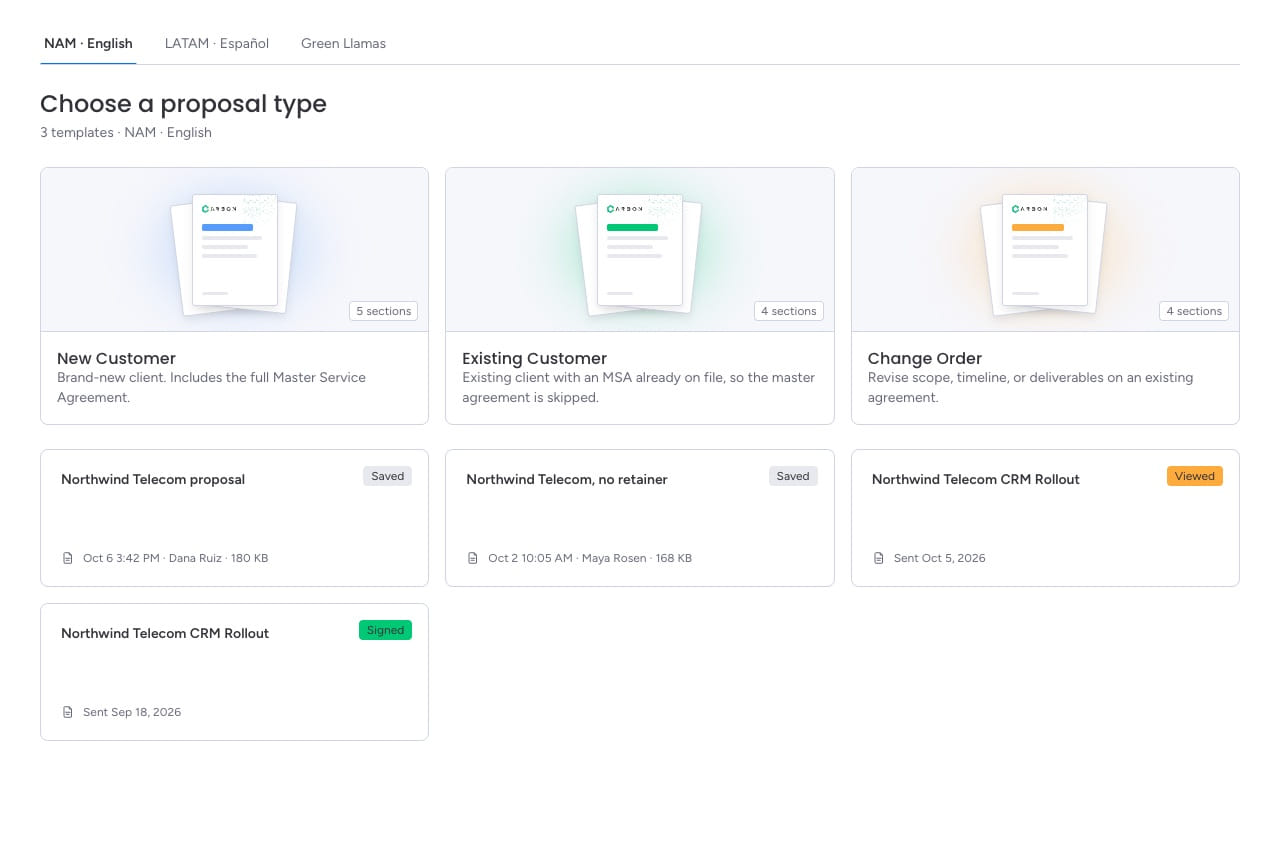
Send to PandaDoc, then update it after sending. Sidekick can tighten a section first, and prices and totals stay out of its reach.
- Reopen a sent proposal, change it, press Send Updates: same PandaDoc document.
- Sidekick proposes edits you preview, apply and undo. Money is out of its reach.
Deck Builder
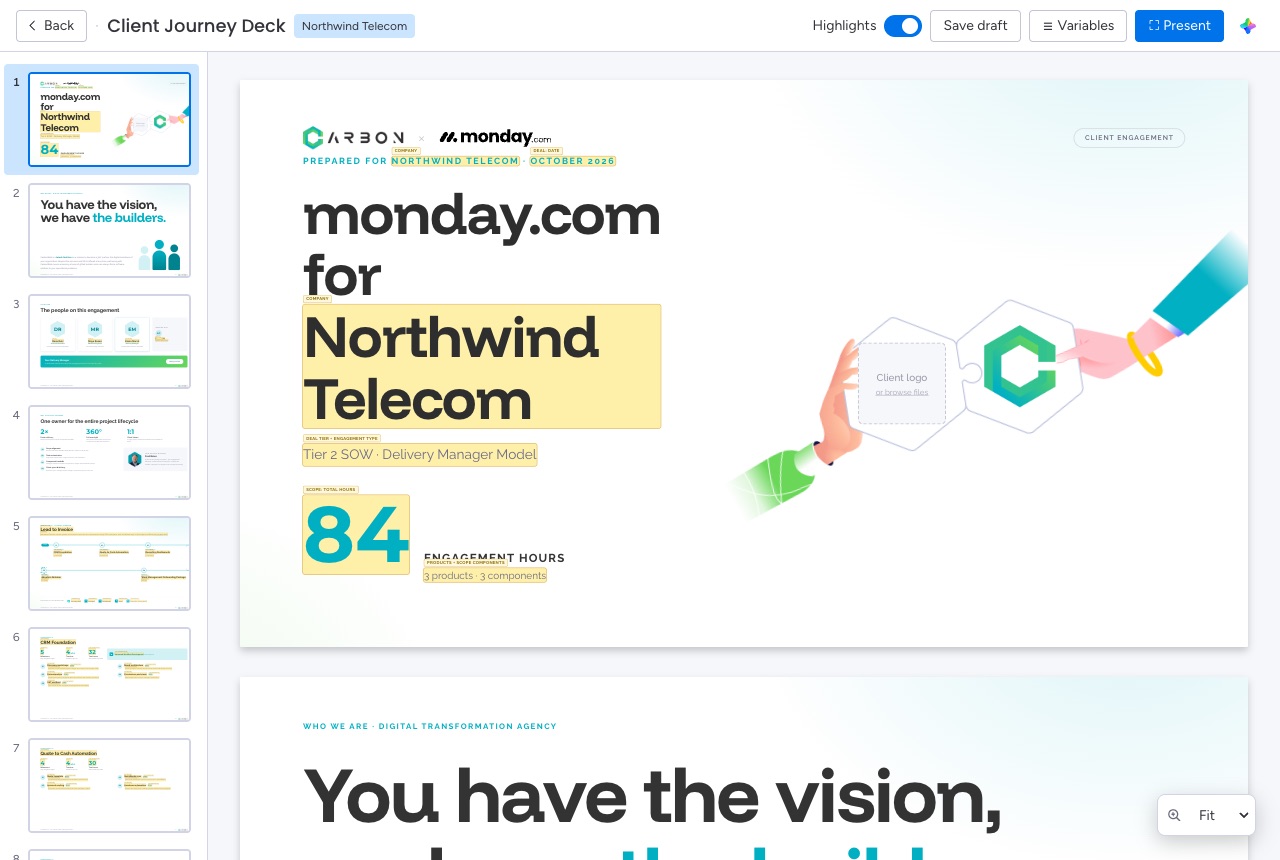
Turn the deal into a deck you can present. The timeline fits any length, and present mode works with a clicker.
- A timeline that fits any length, rates from the deal's products, team cards you can edit.
- Present mode works with a clicker.
Details
- What it is
- monday.com app, 4 item views
- Where it works
- monday.com, Deals board
- Who uses it
- About 8, CarbonWeb sales
- Owner
- Jack Kubicek
- Tester
- Joshua Fresenko