Sales Tools
Your reps qualify, price, propose and present from inside the deal.
Stage 3: Example page
The problem it solves
Your proposals are assembled by hand, so what a client signs can drift from the deal your team priced.
| Before | After |
|---|---|
| Products and prices retyped by hand | Built from the deal’s saved lines |
| Team prices worked out per deal | Each team’s price from its own column |
| Sent proposals can’t be updated | Send Updates edits the same document |
What it does
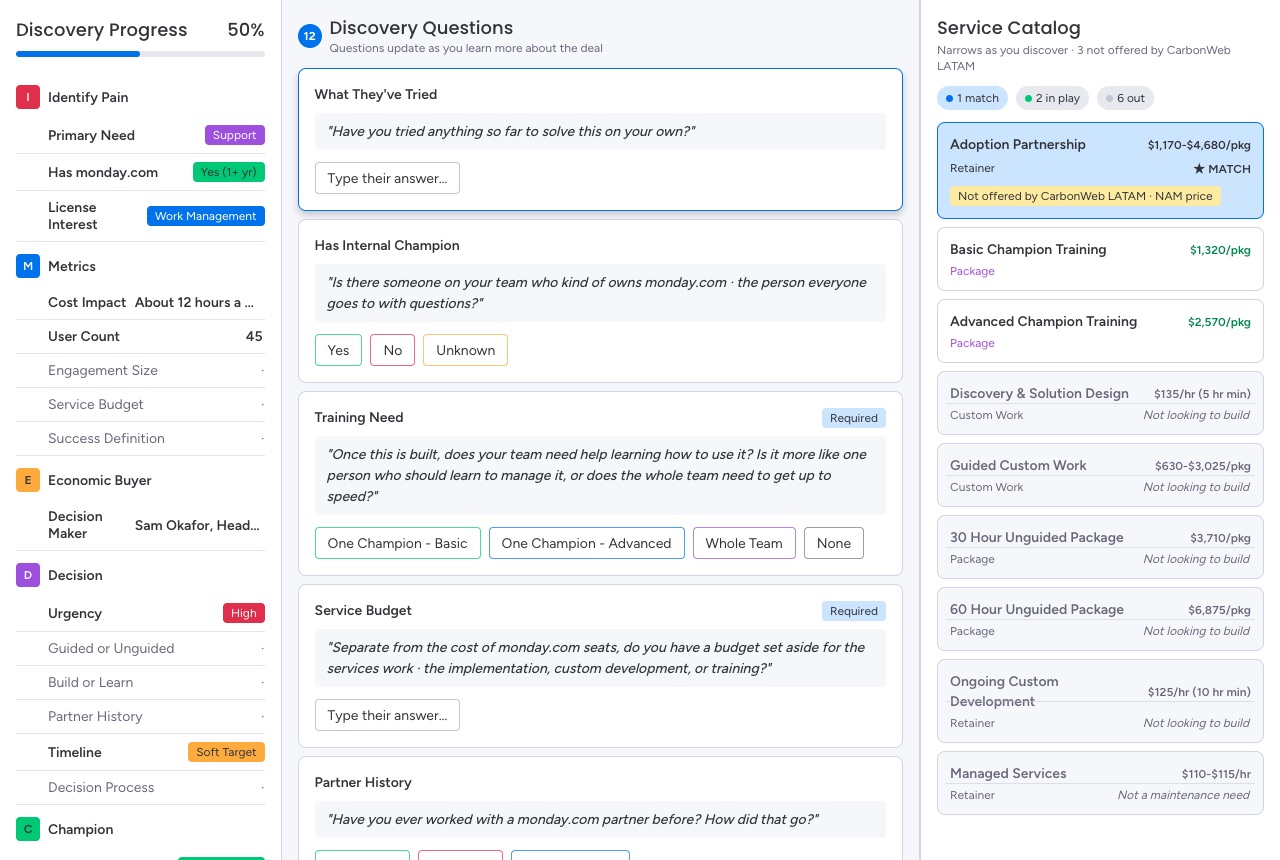
Discovery
Qualify with the team’s own catalog. Questions are MEDDPIC style, and the services they recommend come at the deal team’s own prices.
- Services a team doesn't offer are hidden; a recommended one falls back to NAM and says so.
- LATAM and Green Llamas prices from their own columns.
Product Selector
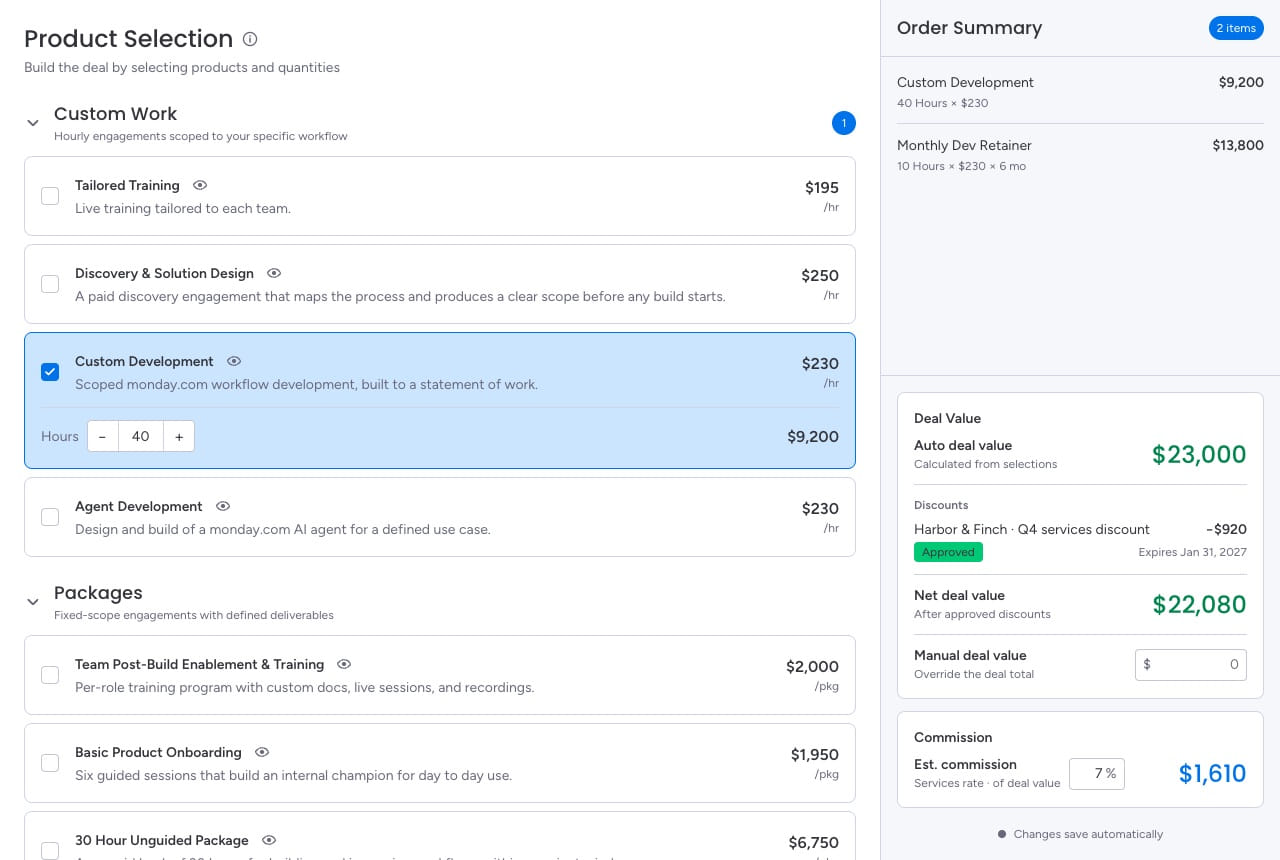
Price from the live catalog, saved to the deal. Lines and the deal value save back to the deal, and required products are caught before anything goes out.
- Writes Auto Deal Value (Team); Manual Deal Value only when a rep types it.
- A Delivery Manager on larger scopes and training on every scoped deal, unless a manager approves going without.
Proposal Builder
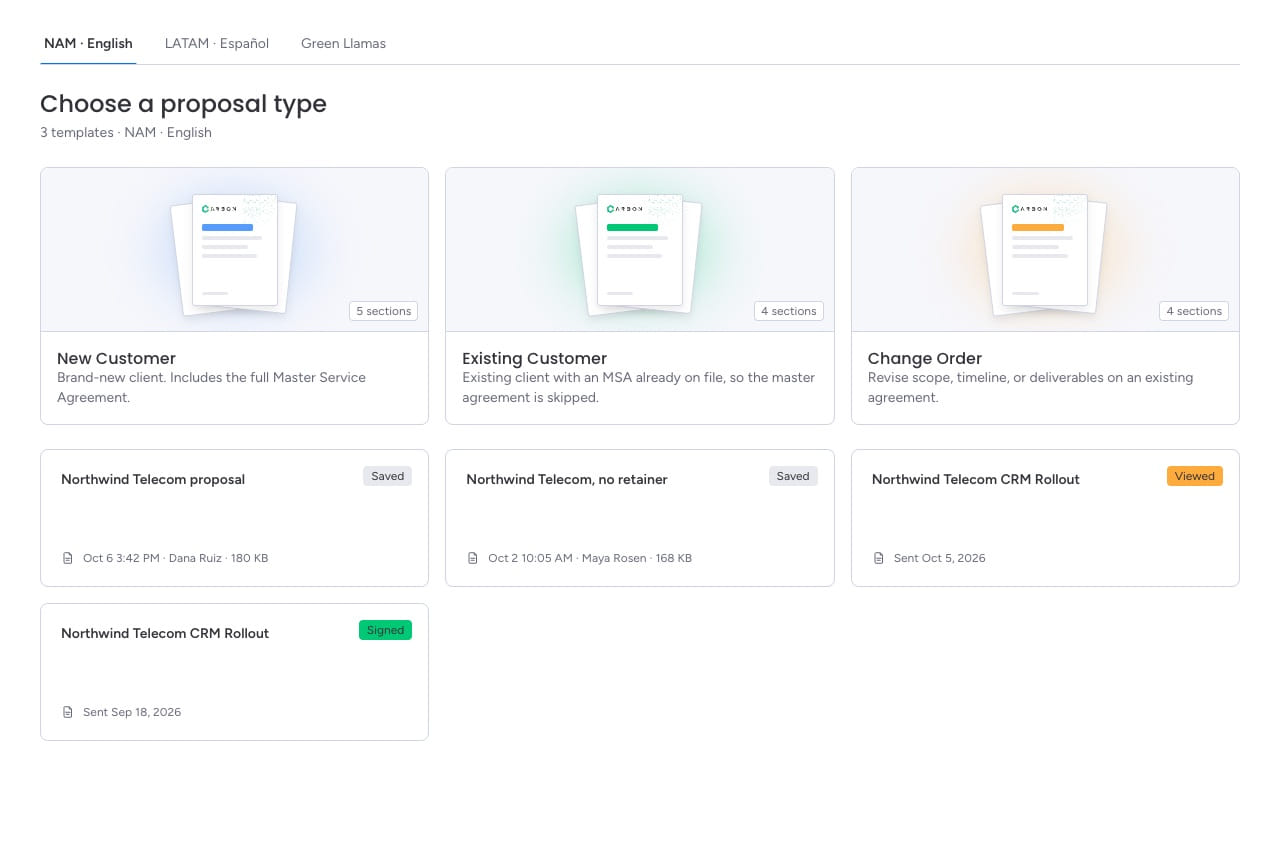
Send to PandaDoc, then update it after sending. Sidekick can tighten a section first, and prices and totals stay out of its reach.
- Reopen a sent proposal, change it, press Send Updates: same PandaDoc document.
- Sidekick proposes edits you preview, apply and undo. Money is out of its reach.
Deck Builder
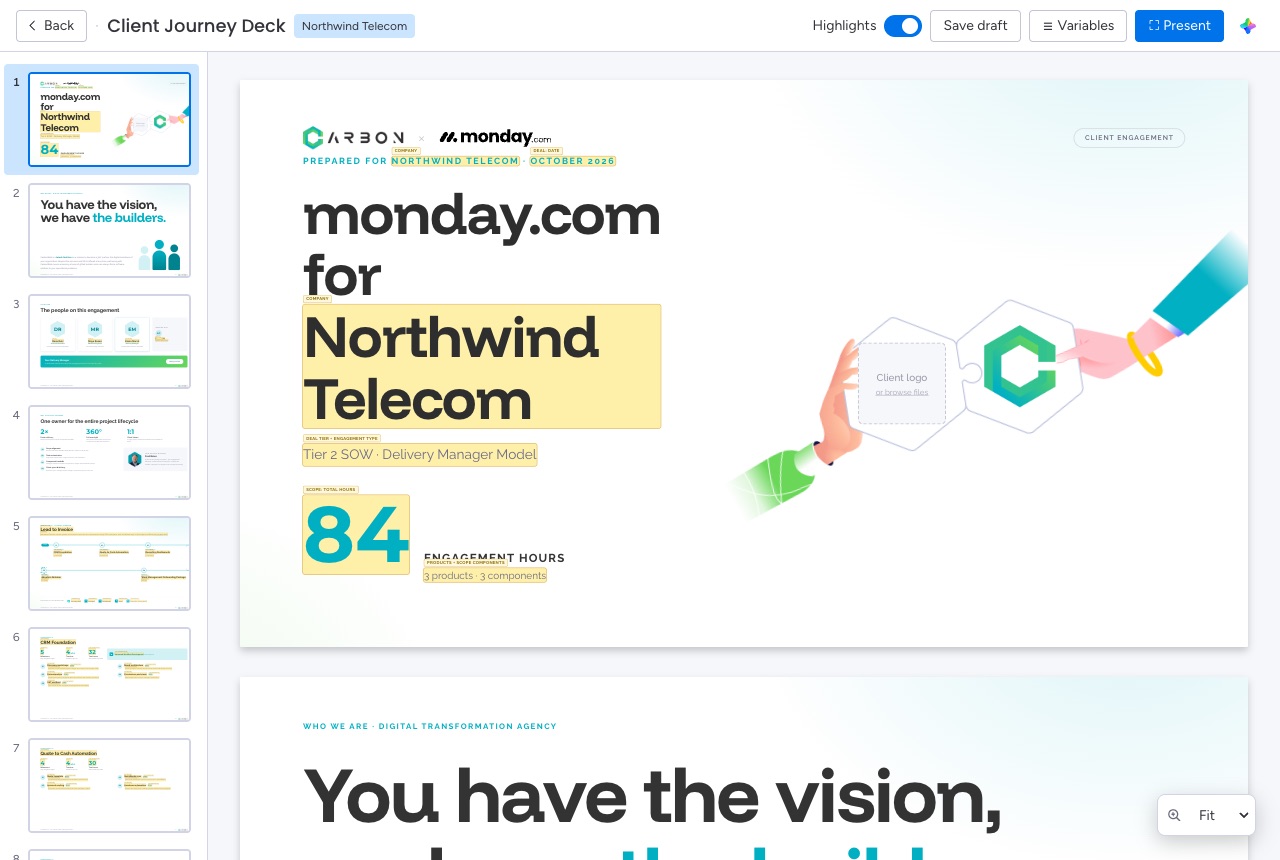
Turn the deal into a deck you can present. The timeline fits any length, and present mode works with a clicker.
- A timeline that fits any length, rates from the deal's products, team cards you can edit.
- Present mode works with a clicker.
Details
- What it is
- monday.com app, 4 item views
- Where it works
- monday.com, Deals board
- Who uses it
- About 8, CarbonWeb sales
- Product owner
- Jack Kubicek
What the offering includes
- Anything not listed is custom work or a no.
- Included
- All four tabs on your deals board
- Send and update through your PandaDoc
- Templates in your brand
- Sidekick in the document tools
- Configurable
- Your catalog board and price columns
- Teams and team prices
- Required products
- Manager approval
- Custom work
- New document designs
- A different deal board structure
- Integrations beyond PandaDoc
- We say no to
- CRMs outside monday.com
- E-signature other than PandaDoc
- Hosting outside monday.com
How it is implemented
- A standard implementation. Estimates stay To define until one has been delivered.
- Install the app in your monday account.
- Map your deal and catalog boards.
- Load your templates and brand.
- Connect PandaDoc and send a test.
- Train the reps and hand over.
- Standard implementation
- To define
- Delivered by someone other than the author
- Not yet
- Response time
- Hours
- An outage is
- Tabs fail to load, or proposals can’t be sent
- Raise an issue
- The Feedback button (to set up)
How it is deployed
- Client
- Version
- Environment
- Implemented by
- Since
- CarbonWeb (internal)
- 2.1.0
- CarbonWeb monday account
- Jack Kubicek
- Jul 2026
What it is and is not
- All four tabs, proven on CarbonWeb’s deals
- Team prices, required products, manager approval
- Send and update in PandaDoc
- A CRM. It works on your deal board.
- Your price list. Prices come from your catalog.
- E-signature. PandaDoc signs.
- Per-client installs with their own tokens
- Updating a document a client already received
What happens at sunset
- Retiring it is a decision with notice. These terms go into the client agreement.
- We would stop if
- monday.com ships a native tool that covers it
- Notice
- To define
- Clients keep every proposal and deck as files on their deals. Nothing is held outside monday.com.
Details
- Product owner
- Jack Kubicek
- Technical backup
- To define
- Version
- 2.1.0, Oct 13, 2026
- Runs in
- Your monday.com account
- Sub-processors
- monday.com, PandaDoc
- Support
- Live clients
- 0
- Talk to
- The product owner